Empower agents with distraction-free desktop workflows and deliver seamless in-branch experiences for consumers in minutes, without friction or downtime.
The Eltropy desktop app is your dedicated workspace that helps you stay on task, respond faster, and support seamlessly, all without browser distractions.
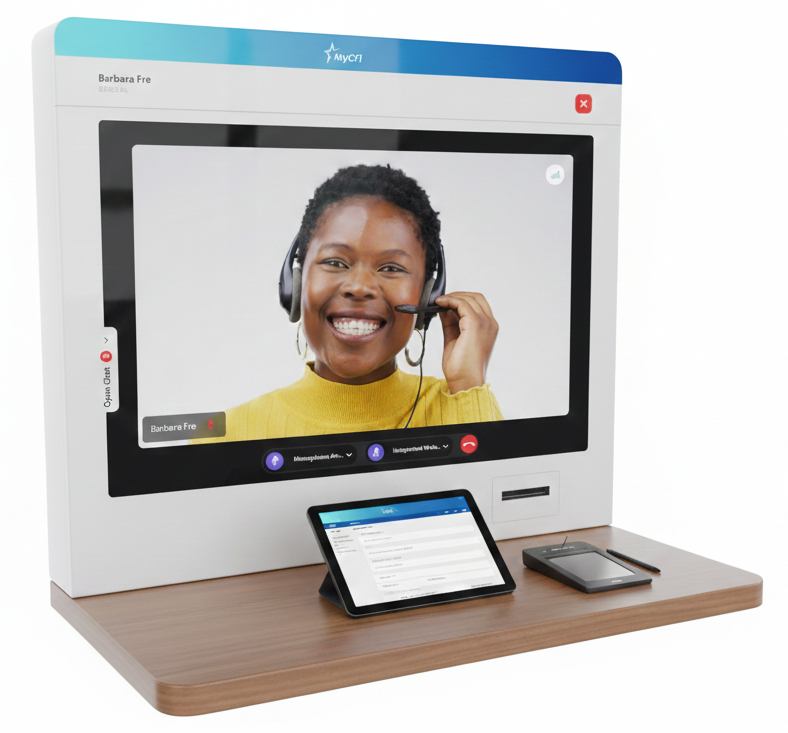
Purpose-built for in-branch kiosks, this lightweight Windows app delivers a stable, browser-free in-branch video room experience to your consumers – with lower CPU usage and fewer audio or connectivity issues.
Tip: Choose the Kiosk version for full screen and to prevent users from closing the application, or the non-Kiosk version for standard Windows behavior.
Note: Install only one mode per device – either Kiosk Mode or Non-Kiosk Mode – based on how the kiosk will be used.
“With Eltropy, we’ve discovered just how much our credit union can do. We’ve found services we didn’t even know we had, and we’re training our teams to do new things. It’s really expanding what we can offer our members.”
Joshua Paredes
VP of Member Experience
“From a product standpoint, I really believe in Eltropy products and they are effective. They have that ‘it factor’ that many other organizations strive for but haven’t quite been able to put their thumb on it.”
Eryka Ragsdale
VP of Member Services
ENTERPRISE-GRADE
Compliance & Security
Eltropy prioritizes protection of your data, privacy, and compliance through adherence to standard industry best practices, rigorous audits, and regulatory requirements.
Get Started Today
Scroll to Top
How to Download & Set Up ?
To get started, Download & Run App Installer File.
Follow the on-screen instructions to complete the installation process.
1. To get started, Download & Run App Installer File. 2. Follow the on-screen instructions to complete the installation process. 3. Add the video room device link and/or code. 4. Start using the app upon validation.
Enhanced PDF Viewing and Smarter Dictation in AI Assistants
October 2025
AI Assistants now offer a better user experience with scrollable PDF viewing (no more page-by-page clicking), expanded AI notes that display in one screen, language translation labels showing the original language at a glance, and smarter dictation that appends input instead of replacing existing text.
These updates make daily workflows smoother, more intuitive, and more efficient for staff relying on AI-powered support.